
Flipboard, the social network magazine app, temporarily stores downloaded images and other media files on your iPhone / iPad, which makes loading quicker. Apps in iOS usually handle space issues themselves and clear the cache files on a regular basics, however, there is also a way to manually do this.
1. Open the Flipboard app.
2. Tap your Account tab (the person silhouette).
3. Tap the Settings Gear button.
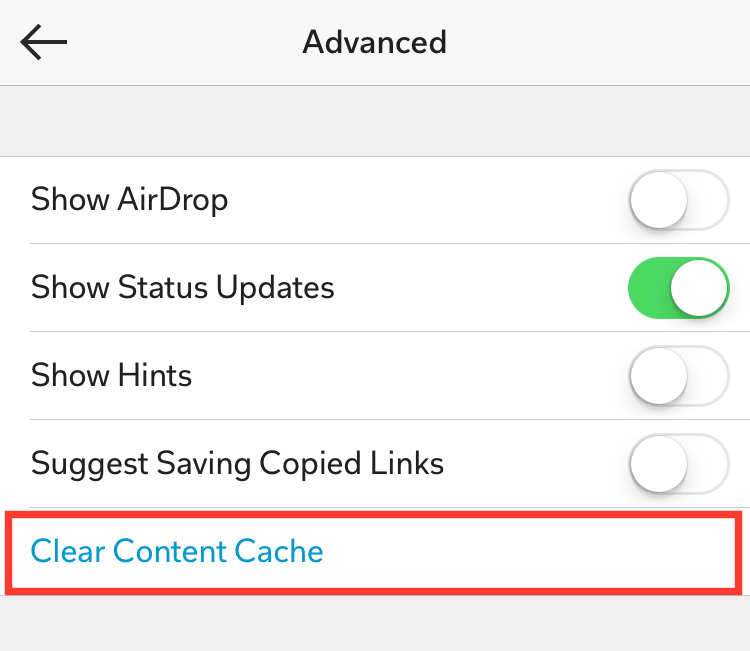
4. Tap 'Advanced'.
5. Tap 'Clear Content Cache'.


![12 Best Apps For Apple Watch: Essential Apps To Install [Part 1]](https://blogger.googleusercontent.com/img/b/R29vZ2xl/AVvXsEjrCVk1bWpxz38tGFpPMBnMP7KMIgqtsb7Ed6f7KYwyDJOI1c7O35mJ4VV4T1YYlJr5LoYpzxqulbA1SoBTSQ8vIUb4dUBPmkccEgK_6STk-Kzr7qw33ANNDrPeX7K1FqXse8ZiXf949gbg/s72-c/Twitter+Apple+Watch.jpeg)


Follow Us
Were this world an endless plain, and by sailing eastward we could for ever reach new distances